DeskSpace
Manufacturer documents and attributed outside reviews. DeskSpaceLab has not tested this product.
Keychron V6 Ultra 8K Keyboard
Shortlist V6 Ultra 8K for an integrated numpad, genuine USB input and compatible switch or keymap changes. Choose it when the full-size layout and permitted Launcher workflow fit; keep an adequate keyboard, or investigate another model for low-profile keys or QMK-specific requirements.
Reasons to consider it
- Wired keyboard input alongside 2.4 GHz and Bluetooth choices
- Integrated numpad and replaceable compatible MX switches
- Separate Mac/Windows layers and Launcher key remapping
Trade-offs to weigh
- Standard-profile full-size body needs room and a reach check
- Launcher configuration requires a supported browser, wired connection and permission
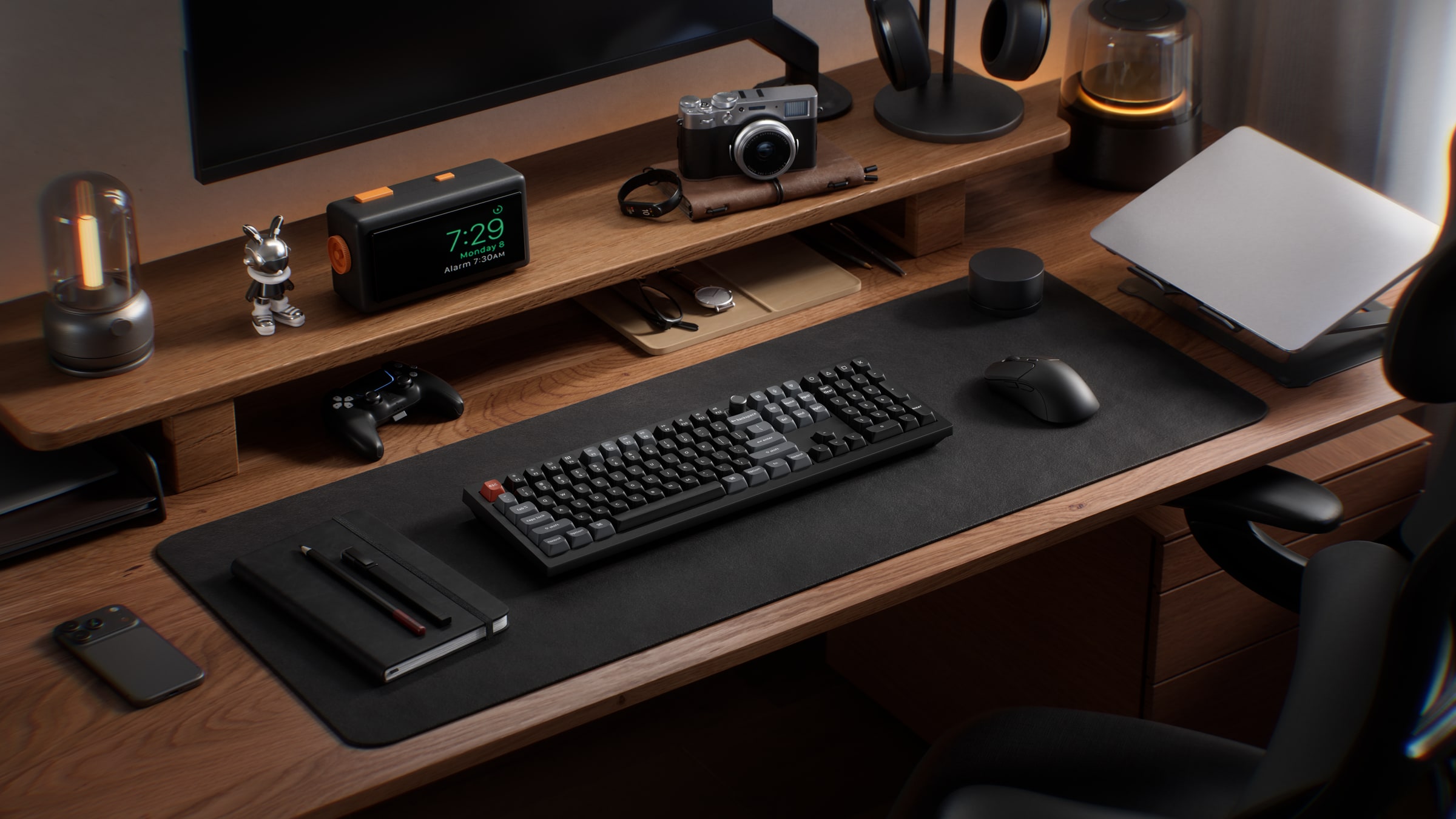
A cable can supply power without carrying your keystrokes. The V6 Ultra 8K offers an actual wired typing mode, a full-size number pad and switches you can replace with compatible alternatives. For someone who wants a conventional desktop layout with room to customize it, those features make a more useful starting point than the 8K name.
Choose the board for the work you want it to do
The Ultra is a relevant candidate for spreadsheet entry on an integrated numpad, a required USB-input connection, or a mechanical keyboard whose key assignments and compatible switches you want to change. You can start with its assembled layout and explore those changes when there is a specific reason.
This guide concerns the Keychron V6 Ultra 8K, ANSI layout, Global & US storefront. V6 Max, V6 8K, HE and Ultra Hybrid models have different specifications; their firmware or review experiences should not be transferred to this board.
Keep your existing keyboard when it already provides the connections, layout and shortcuts you need. Investigate MX Mechanical when low-profile keys matter more, while remembering that its USB-C connection charges rather than carries keyboard input. If your requirement explicitly names QMK, Ultra's ZMK firmware needs a separate assessment.
If those features match your needs, View Keychron V6 Ultra 8K at Keychron. Choose the intended ANSI layout and switch on the exact Ultra page. Affiliate link: we may earn a commission on qualifying purchases. The link opens the product page without selecting a cart configuration.
Wired typing makes a concrete difference
The Ultra product page documents USB-C wired input, a 2.4 GHz receiver connection and Bluetooth 5.3, with three Bluetooth pairings. Its manual separately illustrates Cable mode. You can therefore shortlist it for cable-carried keystrokes without relying on a charging-port assumption.
Imagine a reader who needs an integrated numpad and wired keyboard input on a work computer. Their present keyboard charges over USB but types wirelessly. Ultra addresses that documented connection mismatch. This is a fictional use case, not a tested DeskSpaceLab setup; the permitted USB connection and physical layout still need to fit the reader's computer and desk.
For that reader, the assembled manual's included cable, Type-A/Type-C adapter, Type-A receiver and receiver extension are useful package details. Confirm the selected box before buying duplicates. The cable-planning guide helps keep the connection and release point reachable.
For a genuine wired-input requirement, View Keychron V6 Ultra 8K at Keychron, including the selected switch and delivery information. Affiliate link: we may earn a commission on qualifying purchases.
Customization is the reason to look beyond the first switch set
Keychron documents hot-swap support for most three- and five-pin MX-style mechanical switches, without soldering. That makes a compatible switch change an option on the same board, instead of treating its first assembled switch set as permanent. Red, Brown and Banana Silk POM configurations are listed; confirm the chosen version before ordering.
The board's standard-profile OSA keycaps, gasket construction and foam layers describe its design. They do not establish the feel or sound at your desk. In particular, a board advertised with RGB is not automatically easy to read in the dark: legend visibility is a separate requirement worth checking on the selected keycaps.
What one owner liked—and why they still returned it
In a selected first-person report, u/Frost90 described a few days with a V6 Ultra 8K using Red Silk POM switches. They found typing pleasant and subjectively quiet, but returned the board after keys continued registering when released. They also disliked the visibility of the non-shine-through legends and the height compared with their low-profile keyboards.
The author's region, layout, host and firmware were not established, and the commercial arrangement was not independently verified. This is one owner's account: it supplies neither a measured noise result nor a failure rate. Its useful lesson is to consider the entire experience—height, readable keys and correct input—alongside the attraction of replaceable switches. We have not typed on or acoustically tested Ultra.
Give remapping a specific job
Launcher can change key assignments and create macros. A recurring shortcut is a useful reason to configure it; an unspecified promise of greater productivity is weaker. The documentation requires a wired connection and a current supported Chrome, Edge or Opera browser. On a managed computer, confirm that access and the intended remapping are permitted.
The manual assigns Mac to layers 0/1 and Windows to layers 2/3. Windows mode activates layer 2 as its base, while Mac mode activates layer 0. Change the correct layer for the system you will use; otherwise, a saved shortcut may not perform the intended job. Ultra uses ZMK, so an existing V6 Max QMK guide or configuration is not automatically applicable.
Treat 8K as an optional setting after those basics. Keychron's polling-rate guidance says its 8K models ship at 1K for compatibility, with 8K selected in Launcher Advanced Mode; older hosts may not support it. That capability does not demonstrate faster document work or greater typing accuracy on your computer.
Worked decision: wired input does not repair an oversized layout
Suppose a fictional reader has 650 mm of usable horizontal space, reserves 190 mm for the mouse and a 20 mm gap, and needs a numpad. These are invented planning inputs, not mouse-space recommendations or a measured desk installation.
The manual specification table labels the footprint Length 447.9 mm and Width 149 mm. For this example, place the 447.9 mm long side along the desk. This is a chosen orientation; the manual's top view is not a dimensioned drawing, and we are not relabeling its Width field.
| Horizontal check | Calculation | Result in this example |
|---|---|---|
| Maximum keyboard span | 650 − 190 − 20 | 440 mm |
| Ultra with assumed mouse zone and gap | 447.9 + 190 + 20 | 657.9 mm, exceeding the zone by 7.9 mm |
| Existing 420 mm keyboard with the same allowances | 420 + 190 + 20 | 630 mm, leaving 20 mm nominal total margin |
Ultra fails this assumed arrangement. If the existing board already provides the required input and functions, keep it. If it lacks an essential feature, investigate another verified layout or change the usable arrangement before ordering. A wider surface might change this result; a higher polling setting cannot.
Depth, mouse movement, connector access and cable bend space remain separate checks. The manual also lists front/rear heights of 33.8/41.6 mm with keycaps, versus 24.7/31.2 mm without. Keep those bases separate and consider reach, especially when moving from a low-profile keyboard; the figures do not prescribe a posture setting or prove comfort.
Choose the pointing device alongside that layout budget. The MX Master 3S guide connects its thumb controls and wireless options to specific work tasks.
Check the selected order while the requirements are clear
On October 19, the default Red V6U-D1 displayed backorder wording. That snapshot does not establish the stock of every switch. Confirm the selected variant's dispatch information rather than relying on a general shipping banner.
Compare the keyboard plus only necessary accessories, shipping and applicable tax. The Global & US shipping policy excludes Hawaii and Alaska from ordinary US delivery, and excludes forwarding addresses and some address types. Verify your accepted address and actual checkout total.
For US non-quality returns, the return policy requires a request within seven days of arrival. The buyer pays return transport, and outbound shipping is not refunded. Obtain the correct authorization and return address; this is not a documented free switch trial. The warranty defaults to 12 months from first end-user delivery unless purchase documents differ, with V Ultra manufacturing-defect remedies described as replacement of defective parts. Modification and compatibility exclusions also matter when planning changes.
Choose Ultra when its flexibility serves your setup
The case for Ultra is straightforward: keep a full-size numpad, use genuine cable input when required, and retain compatible switch and keymap choices. That combination gives a defined reader a reason to investigate the board. A narrow desk, low-profile preference, QMK requirement or blocked configuration workflow points toward another choice.
If those requirements fit, View Keychron V6 Ultra 8K at Keychron. Keep the switch, package, delivery expectation, complete price and return terms together in the order record. Affiliate link: we may earn a commission on qualifying purchases. The destination does not confirm stock or select a configuration.
Sources and verification boundaries
The linked product, polling-rate and store passages were checked October 19, 2026. The manual landing page still links the manufacturer PDF. Selected pages from the October 15 download were visually re-read: assembled contents on page 2, connections on pages 5–6, Launcher/layers on page 9 and specifications on page 11. We do not claim the entire manual was reviewed.
The owner account was read October 19; its page showed a relative age of one month. The connection and space examples are original fictional analysis. Any supplied Keychron visual is an attributed manufacturer image, not evidence of DeskSpaceLab ownership or testing. No own typing, acoustic, latency, durability, comfort or security test is claimed.
About this guide: An editorial research profile, not an individual reviewer. Explains model specifications, configuration choices and the limits of manufacturer evidence. Editorial profile