Chairs · Buying guide
Steelcase Gesture: give changing tasks a different arm position
Try the articulated-arm configuration for keyboard, mouse and reading, then judge the seat and arm-pad feel separately.
The quick decision
Is it right for your day?
Investigate Gesture with articulated arms when repositioning support is the change your routine needs. Keep a suitable chair when its controls already work, and assess seat feel, optional support and seller terms before ordering.
- Arm flexibility does not establish preferred pad or seat feel
- The family page includes different arm and support configurations
Research-based guide. DeskSpaceLab has not tested this product. Sources and review scope
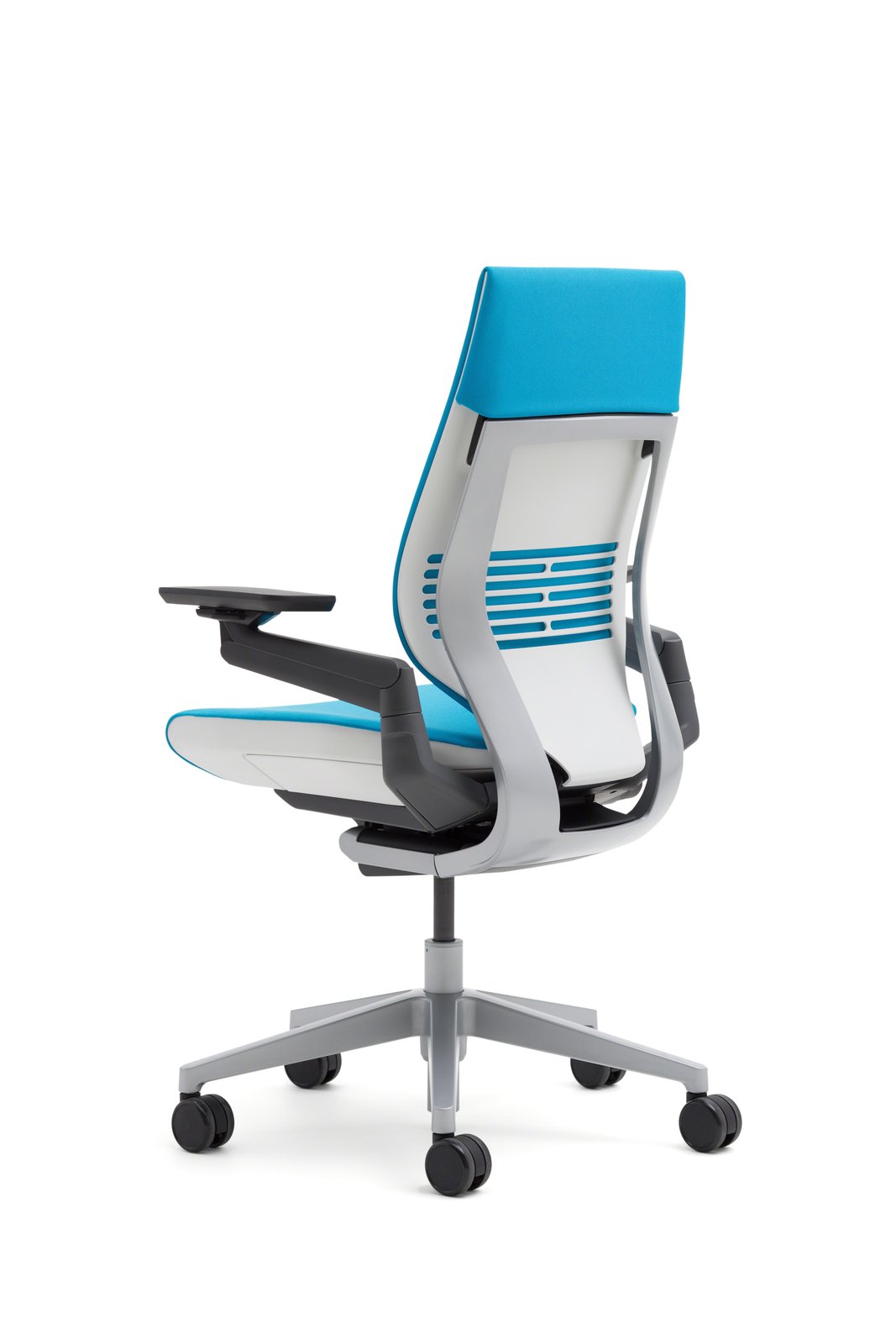
Typing, using the mouse and reading away from the keyboard do not always call for the same arm position. Gesture's articulated arms are a reason to try it when your present supports keep getting in the way of those changes. The useful purchase is the configuration that provides that movement and still feels right as a chair.
Give the articulated arms a real task
Begin with a movement you repeat. Perhaps you want the supports closer for typing, elsewhere when reaching for the mouse, or repositioned when settling back with a document. Try the articulated-arm version through those positions at the desk you intend to use.
Steelcase's family page also describes configurations with fixed arms or no arms. The product name alone therefore does not establish the mechanism you are buying. Its arm branding is not a literal measurement of how far every pad rotates, and an available movement is not proof of useful support for every task.
Judge the seat separately from the arms
Gesture places seat-height and depth controls toward the front, with recline tension and stop controls farther back. Those are other parts of the daily experience to investigate: whether you can reach the adjustment, set the seat as intended and move into a useful reading position.
An optional headrest or lumbar selection also deserves its own reason. An accessory can change how the chair meets you; it should not be assumed necessary because it is available. The supplied seat configuration, back support and pad sensation remain questions even if the arms perform exactly the movement you wanted.
What an early review adds to the fitting
The Office Snapshots account from 2013 appreciated Gesture's adjustments and movement but preferred the padding and width of the arm supports on the writer's usual chair. It also explicitly lacked enough experience to judge intensive phone or tablet use.
That is a useful distinction between mechanical freedom and personal preference. It is an early editorial unit, not proof of the materials or feel of every current configuration. The accessible account does not establish a named author, sample funding or market, so those details remain unknown.
Imagine a reader who moves between keyboard work and reading and wants to change where the arms support them. Gesture with articulated arms belongs in a fitting because it directly addresses that task. The review adds a second question: are the pads themselves agreeable in those positions? If the movement works but the contact does not, the reader still has a reason to keep looking.
This is our hypothetical decision drawn from the current controls and the historical account. When those checks point toward Gesture, use the manufacturer information to identify the exact configuration and seller.
View Steelcase Gesture at Steelcase
Manufacturer link, not an affiliate link.
Use the image as an identity reference
The credited Steelcase photograph shows a historical Blue Jay configuration without a headrest. It illustrates the Gesture family; it does not prove that its upholstery, base or options are currently offered in your region.
The linked Steelcase page is family information with routes to a store or dealer. It is not confirmation of an in-stock package. Keep the chosen arms, upholstery, headrest and support options with the quote, and obtain return and warranty terms from the actual seller. Current complete return clauses were not accessible for this review, so a free trial or particular shipping arrangement is not established.
Choose the support you can use
Keep a working chair when it already supplies the positions and contact you want. If mesh is the stronger preference, the Aeron guide explains its distinct seat and arm choices. For an upholstered seat with adjustable depth, Embody vs Aeron offers another starting point.
Gesture earns a place on the shortlist when its selected articulated arms solve a named problem and the rest of the chair also suits you. Flexibility on paper should lead to a focused fitting, not replace one.
Sources and review scope
We read the Americas Gesture product page and the Office Snapshots account on October 29, 2026. The historical review describes a chair received a few weeks earlier; its October 10, 2013 date is retained. It does not demonstrate long-term performance or a current multi-device comparison.
The Steelcase store return page did not expose complete clauses during the current reading. Confirm order-specific terms with the seller. DeskSpaceLab has not tested Gesture, its pad comfort, tablet support or durability. The scenario and historical image do not represent our ownership or a verified current package.
About this guide: DeskSpaceLab Product Research · Our editorial approach and affiliate policy