Standing desks · Comparison
FlexiSpot E7 vs E7 Pro vs E7 Plus: which should you choose?
Compare the arrangement around your chair, screens and storage before paying to replace a desk that may already suit you.
The quick decision
Which option fits your day?
Shortlist E7 Pro for a layout with rearward supports. Consider original E7 Plus when its four-leg arrangement suits your top and attachments. Keep an existing E7 if it already does the job; the older model remains an identification reference, with current US availability unverified.
FlexiSpot E7 Pro
Another way to arrange the chair and a drawer, with supports set toward the rear.
FlexiSpot E7 Plus
Explore a four-leg layout for your chosen top, with attachment positions checked together.
- The completed desk must suit seated work, chair access and mounts
- Confirm the exact model, included parts and return arrangements
Research-based guide. DeskSpaceLab has not tested these products head to head. Sources and review scope
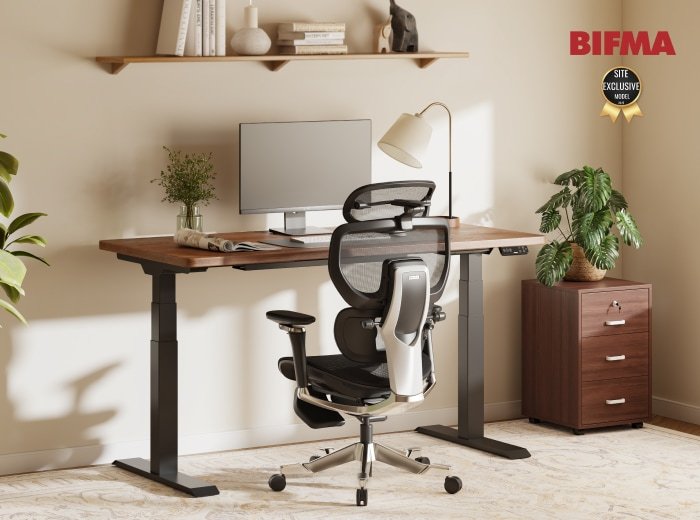
An open notebook should have somewhere to stay while you type. Your chair should be able to approach the desk without meeting a drawer or support. Before choosing another E7 model, decide which part of that arrangement needs to change. The name on the frame does not answer it for you.
E7 Pro and original E7 Plus are the two buying paths here. Pro deserves a look for its rearward supports; original Plus offers a different, four-leg arrangement. The older E7 helps identify an existing desk or listing, but its exact generation and current US availability are unverified. It is not a third interchangeable order in this comparison.
E7 Pro: plan the space for your chair and drawer
Picture a desk where the small items can go into a drawer while the keyboard stays close enough to reach from your chair. E7 Pro's semi-C supports sit toward the rear, giving you an underside layout to examine for that plan. The useful question is whether the support positions suit the chair and storage you actually want to keep.
Check the monitor-arm clamp and drawer positions together. Both need suitable attachment points; an uncluttered photograph cannot prove they will coexist beneath your selected top.
Once the layout works, desktop-material choices let you decide how the surface belongs in your room. FlexiSpot also describes position memories, a cable tray and a fabric cover. These can form part of an everyday arrangement in which the leads move with the desktop; confirm the pieces supplied with your selected version.
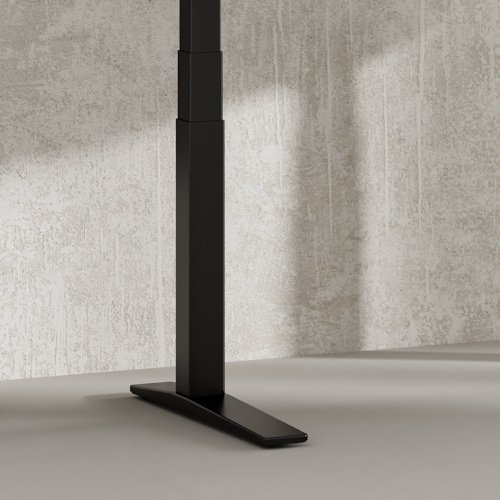
This photograph shows a Pro leg and foot detail. Use the complete frame drawing to judge the space for your chair and attachments.
If your main frustration is arranging the chair and a drawer around the frame, examine E7 Pro first.
View FlexiSpot E7 Pro at FlexiSpot
Manufacturer link, not an affiliate link.
Original Plus: plan the workspace around four supports
Original E7 Plus gives you a four-leg structure to build around a selected desktop. It is worth considering when that arrangement suits the surface and attachments you have in mind. Four legs do not by themselves establish a more stable desk or a better setup for everyone.
FlexiSpot describes additions such as monitor arms, drawers and keyboard trays. Moving the screen off its stand can leave space for papers; storage gives small items somewhere to go. Those benefits depend on compatible accessories working together and are not exclusive to Plus.
For a project with screens at the back and documents that stay open, start with the top you need, then confirm that the original Plus frame supports it and leaves the necessary attachment points accessible. Choose the top and attachment layout first; Pro and Plus in the name do not settle which working surface suits you.
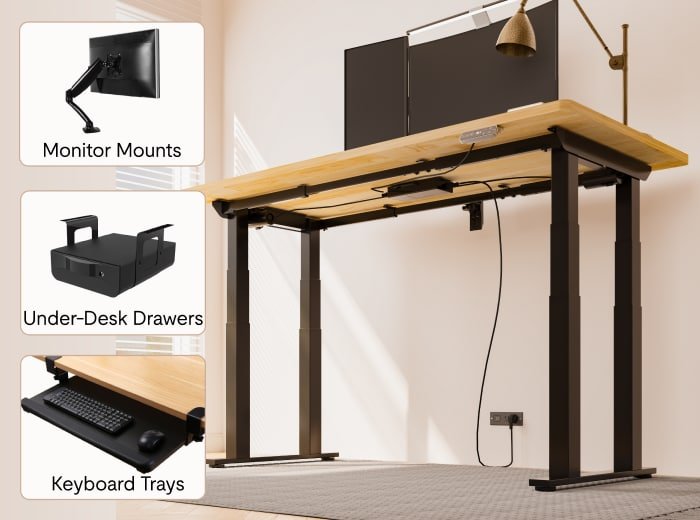
The accessory image shows possibilities, not an included bundle. Select original Plus deliberately: Plus Fit is a separate model on the same page.
Consider original E7 Plus when its four-leg arrangement works with the desktop and attachments you intend to use.
View FlexiSpot E7 Plus at FlexiSpot
Manufacturer link, not an affiliate link.
When the same desktop leaves both on your shortlist
Imagine working from a screen and paper notes, then clearing the surface at the end of the day. A drawer would help, but you also want to retain your monitor arm. If both frames support the top you want, the top alone no longer separates the choices.
For Pro, check where the rearward supports leave space for the drawer and arm. For original Plus, check those same attachments against the complete four-leg layout. If one arrangement forces you to abandon storage you use every day, the other may be the more useful choice. If both work, choose the complete configuration and appearance you prefer rather than treating Pro or Plus as an automatic upgrade.
If the real problem is loose cables on an otherwise suitable E7, neither frame is the first thing to change. Try giving the leads and adapters a planned route before replacing the desk.
Make sure the complete desk works for you
Check the finished desk seated and standing, with your chair, storage and mounts in place. A model name cannot settle personal fit or guarantee that a clamp will clear the frame. Confirm the exact top and version, then use their matching instructions.
Ask FlexiSpot to confirm the version and matching instructions for your chosen configuration. The photographs here do not identify the version you will receive. Original Plus and Plus Fit remain separate selections.
Compare the order you would actually use: top, controller, required attachments, delivery and assembly. Ask what an assembled return involves, including disassembly, packaging and shipping costs. This guide does not verify stock, a selected bundle or a free assembled trial.
If you already own an E7
The opening photograph shows a documented E7 in a manufacturer workspace. It does not identify a generation currently for sale. Start with the E7 identification guide when checking an existing desk or older listing, rather than borrowing details from another E7 page.
Keep an E7 that already gives you the surface, working positions and access you need. For a specific layout problem, the E7 Pro guide and original Plus guide develop the alternatives above. If the problem is mainly power leads and adapters, compare E7 Pro with MAGNUS Pro, or start with the cable-management guide for your present desk.
Sources and review scope
US product descriptions checked October 29, 2026: E7 identification, E7 Pro, and original E7 Plus. They support the described frame arrangements and accessory possibilities. They do not establish a selected cart, current stock, personal fit or comparative stability.
The currently linked FlexiSpot manuals were not read for this update; no new generation is assigned to an existing photograph. FlexiSpot shipping and returns remains a reference for checking the selected order, whose contractual terms were not verified here. DeskSpaceLab has not tested these desks.
About this guide: DeskSpaceLab Comparisons · Our editorial approach and affiliate policy