Standing desks · Buying guide
UPLIFT V3: build around the way you use your desk
Choose a surface for screens and notes, controls for your daily routine, and a cable organizer that leaves room for your mounts.
The quick decision
Is it right for your day?
Choose V3 when a tailored work surface, suitable controls and adjustable cable storage solve needs your current desk leaves unmet.
- Options can add cost and installation work
- Custom tops and freight can restrict return choices
Research-based guide. DeskSpaceLab has not tested this product. Sources and review scope
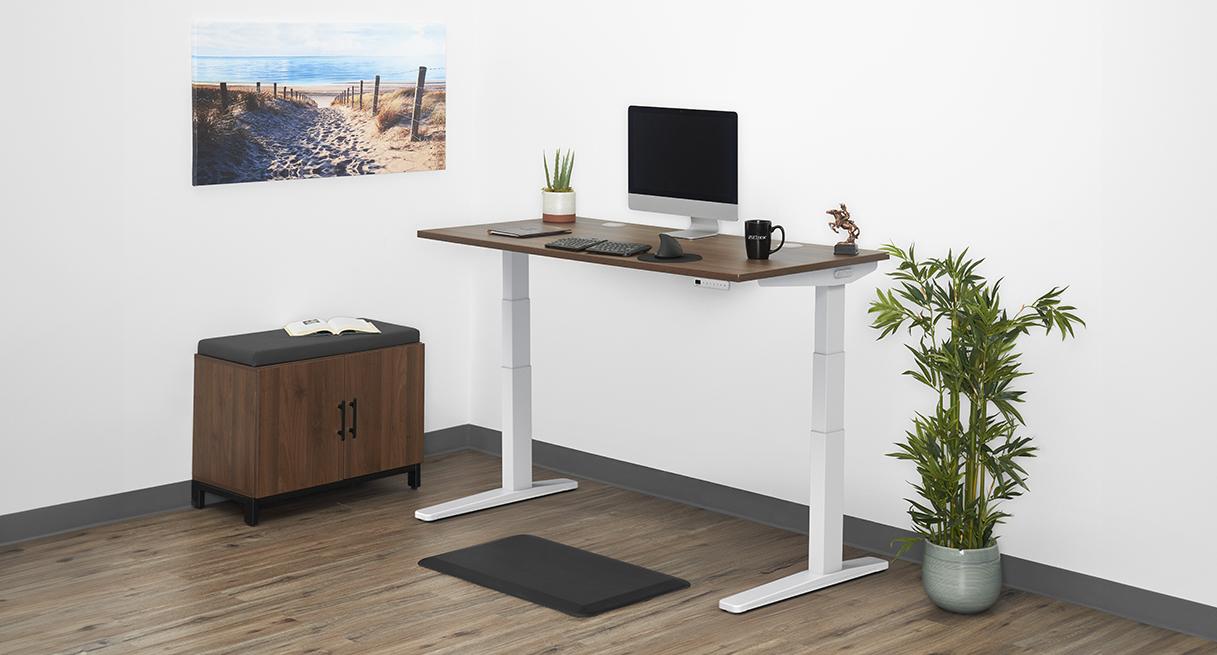
An open notebook should have a place without pushing your mouse to the edge. The UPLIFT V3 is worth considering when you want to build a workspace around those everyday needs: choose a suitable surface, decide how you will change positions, and give the adapters beneath it a home. Its appeal is the configuration you will use each day.
This guide covers the US V3 C-frame. DeskSpaceLab participates in UPLIFT's affiliate program. UPLIFT supplied product information and the credited visual; no desk sample has been received or assessed.
Give your everyday tasks enough room
Start with what stays on the desk while you work. A screen on a stand, an open notebook and a clear mouse area create a different layout from a laptop connected to a rear-mounted display. V3's desktop choices let you investigate a surface for that arrangement, including a material and finish you want in the room.
The frame also offers a low starting position to build around. That can matter if your current surface will not come down far enough for seated work. Confirm the completed desk with the chosen top and feet: a thicker top or height-raising accessory can remove the low position you wanted. The useful outcome is a desk that reaches your working positions with your equipment in place.
Choose controls you will actually use
If you regularly return to the same seated and standing positions, an Advanced keypad adds a practical convenience: automatic movement to a saved setting. Basic controls require you to keep pressing while adjusting. Saved-position operation therefore belongs in the configuration decision, rather than being something to assume from a product photograph.
Imagine a reader whose fixed desk has become crowded and who wants to alternate seated work with standing calls. We would investigate V3 with a suitable desktop and an Advanced keypad, keeping optional powered extras out of the first selection unless they have a clear job. Someone content with held controls can make a different choice without abandoning the same workspace plan.
Use the included organizer before adding another
The included FlexMount cable pouch provides a starting home for power adapters and connections that move with the desktop. Its brackets move forward or backward, and the pouch can be made deeper or shallower. Those adjustments are useful when planning around a monitor clamp.
Put the actual mount and power equipment into that plan. Adjustable storage does not approve every combination, and connections to stationary devices still need freedom to travel. Confirm the included equipment and installation instructions before buying another tray.
Once those choices serve your layout, Configure UPLIFT V3 at UPLIFT with the top, feet and keypad kept together in the selection. Affiliate link: we may earn a commission on qualifying purchases.
Keep customization from becoming the project
The large choice of options can make the desk more personal, but each extra deserves a reason. Mounts and powered accessories add expense and installation work. Selected outside reviews also show why a simple frame-assembly claim does not describe the work of finishing an accessorized setup. Plan the help and mounting work your own selection needs.
Check return conditions before committing to a custom top or a freight delivery. Certain made-to-order desktops are excluded from returns, and freight returns can require you to arrange and pay for shipping. Keep the packaging and verify the selected order's disassembly and return instructions. A free-returns headline does not settle every configuration.
Compare the improvement you want most
Consider Secretlab MAGNUS Pro if concealed power is the main goal: it builds a power-supply column and a covered rear cable tray into the desk architecture. Check the bundle and mounting compatibility rather than assuming every accessory is included. For another complete candidate, see V3 versus FlexiSpot E7 Pro.
Choose V3 when its surface, selected controls and organizer give your daily setup a clear purpose. If your existing desk already supplies the space and positions you need, keep it; an owned UPLIFT has its own V2 versus V3 replacement question.
Sources and review scope
We checked the V3 frame sheet and FlexMount instructions on October 21, 2026. Manufacturer option descriptions were checked October 21; confirm the selected keypad and included equipment with the seller. Return-policy exceptions retain their October 20 reading date; selected-order terms remain to confirm. DeskSpaceLab has not tested a V3.
Anthony Spadafora at Tom's Guide valued organizer adjustment around his monitor mount. Collin Probst at TechRadar found routing useful in a shared setup. Both disclose affiliate links; Probst discloses prior UPLIFT work. Sample funding was not established, and both titles share publisher Future.
David Snow at Cult of Mac describes assembly with help and possible drilling for some accessories. UPLIFT supplied his review unit; affiliate links are present. These selected reviews date from 2025 and were checked October 21. Their configurations do not establish universal fit or comparative stability.
About this guide: DeskSpaceLab Product Research · Our editorial approach and affiliate policy