DeskSpace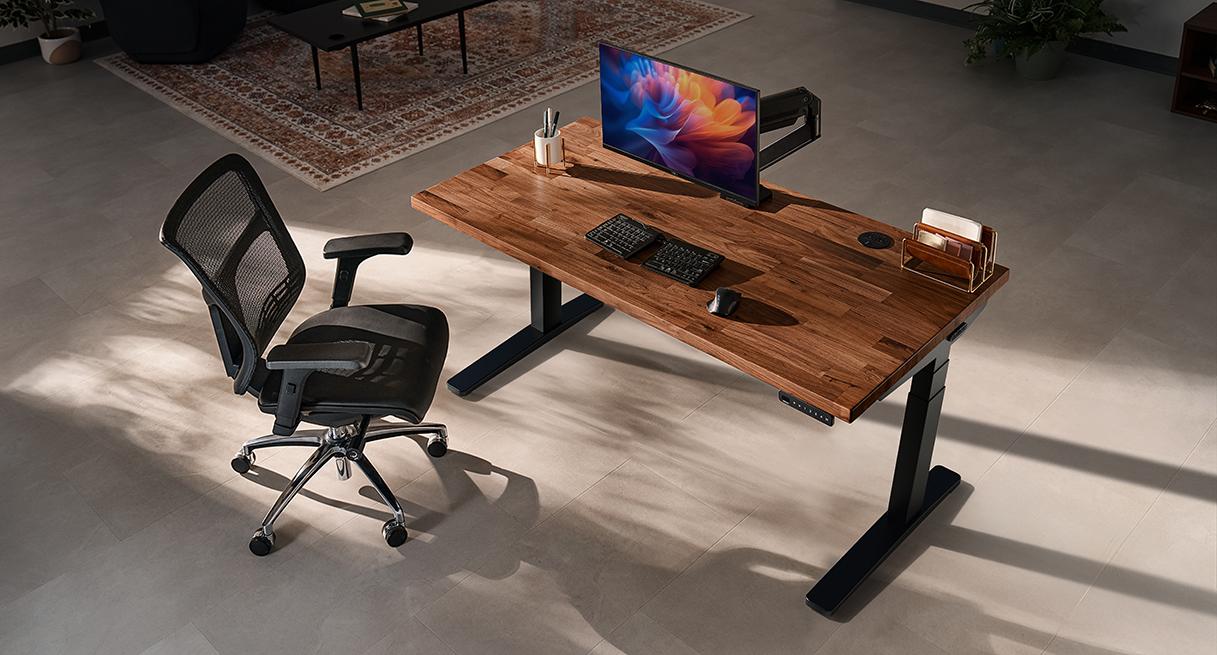
Two people can share a desktop while needing different seated and standing settings. A keypad with four memories lets each person recall both positions instead of repeatedly targeting a number on the display. That is a useful reason to configure a shared V3 around its controls—as long as the finished desk reaches all four positions.
The choice is more specific than “Basic or Advanced.” UPLIFT's Advanced Comfort Flush keypad stores four heights; its Paddle stores two. Start with the function you want, then choose the top, feet and cable equipment that make the complete setup work.
This US planning guide covers the two-leg V3 FV3-200 C-frame. DeskSpaceLab participates in the UPLIFT Desk affiliate program. UPLIFT supplied the credited V3 image. Our case is fictional planning, and we have not assembled or tested this desk.
Start at your current decision
Our planning choice: investigate V3 when its finished range and layout meet your requirements, with a four-memory keypad if both users want two saved positions. A simpler controller remains useful when manual adjustment or two memories are enough. Keep an existing desk that already does the job.
You can Configure UPLIFT V3 at UPLIFT while working through the choices below. Save the selected parts and unresolved questions; opening the configurator does not mean every option is suitable. Affiliate link: we may earn a commission on qualifying purchases. Seller access does not require a worksheet.
| Your remaining question | Useful next step |
|---|---|
| Can one V3 serve both users? | Check all four finished surface positions in the worked decision |
| Which extras belong in the order? | Use the required/included/optional quote table |
| Should a working V2 be replaced? | Use V2 vs V3 to decide keep, adapt or investigate replacement |
| Is a corner or four-leg desk needed? | Obtain that model's own drawing and instructions; these two-leg ranges do not establish its fit |
1. Draw the room and the equipment
Mark the planned top's width and depth, chair approach, door/drawer movement and walking space. Place the screens, keyboard, mouse and any notes you use together. Allow for stands or clamps and access behind the screens; the top's rectangle alone does not describe the working space.
Check the package route, handling and assembly space before choosing a larger or heavier top.
2. Record surface positions for every user
Record each user's seated and standing requirements separately. If measuring at the keyboard keys, account for the keyboard, mat or tray before turning that reading into a desktop-surface requirement. The height-planning guide explains the difference.
A memory button recalls a reachable position. It cannot lower a desk beyond its physical minimum, and a displayed number should be checked against the actual surface.
3. Match the frame and height-changing parts
The V3 FV3-200 C-frame specification gives 21.6–47.7 inches without the top, or 23.8–49.9 inches with its documented foot spacers. Add the selected top's actual thickness once. Record any confirmed net caster, foot or leveling change separately.
A thicker surface or taller feet can change a low seated result. Keep the frame identity and measurement basis with the quote; V2, T-frame and other geometries need their own documents. The V3 buying guide covers the model in more detail.
Worked decision: four positions and the foot-spacer choice
Assume a planned V3 FV3-200 C-frame, a 60 × 30-inch top, 1.5 inches thick, and no other net height change. These are hypothetical selections; the actual top, fixings and availability remain to confirm. Two users' fictional requirements are desktop-surface heights, not body-height or posture recommendations.
| Filled configuration record | Requirement or calculation |
|---|---|
| User A surfaces | 23.5 inches seated; 43 inches standing |
| User B surfaces | 24.5 inches seated; 46 inches standing |
| Planned top | 60 × 30 × 1.5 inches; material/fixings to confirm |
| Without foot spacers | 21.6 + 1.5 to 47.7 + 1.5 = 23.1–49.2 inches |
| With documented foot spacers | 23.8 + 1.5 to 49.9 + 1.5 = 25.3–51.4 inches |
| Keypad job | Store and recall all four positions |
The no-spacer range contains all four targets. With spacers, User A's seated target falls 1.8 inches below the minimum: 25.3 − 23.5. User B's falls 0.8 inch below it: 25.3 − 24.5. Both standing targets still pass.
Our decision: investigate the no-spacer configuration with a four-memory Comfort keypad. For example, buttons 1/2 could hold A's seated/standing positions and 3/4 could hold B's. This allocation is our planning example using the documented function, not a test result. Paddle's two memories would leave two of these positions without their own saved slot; Basic would require manual targeting.
Reject the spacer choice for these recorded seated requirements. The successful range calculation does not certify mounts, personal comfort or room clearance. A changed top, height-changing part or required position changes the result.
4. Confirm the desktop and attachments
Choose material, size, thickness and edge shape together. The official V3 product specifications label laminate, bamboo and Eco Curve tops as 1 inch; butcher-block tops as 1.5 inches; and wide-plank/live-edge tops as 1.75 inches. Confirm the selected item rather than applying one thickness to every surface.
Match each clamp, tray or computer holder to its mounting instructions and the actual underside/frame layout. For an existing top, verify dimensions, weight and fixing pattern; holes from an older desk are not transfer proof. The V3's documented 355-pound lifting capacity includes the desktop, so inventory the surface and attached equipment together.
Custom-top decision: made-to-order Custom Laminate, Custom Solid Wood and Narrative desktops cannot be returned under their stated exclusions. Other order parts may qualify. This does not make every stocked solid-wood top nonreturnable; confirm which category your selection belongs to before committing.
5. Select controls and cable equipment for their jobs
Two Comfort keypads serve the four-position example; simpler controls suit a smaller memory requirement:
- FRM703 Advanced Comfort Flush: four saved heights and one-touch recall, with tactile button dividers and a control that sits flush with the front edge.
- FRM066 Advanced Comfort Angled: the same four-memory job, with an angled face for viewing the buttons and display.
- Simpler requirements: FRM072 Basic Display Angled uses press-and-hold adjustment; Advanced Paddle recalls two saved heights. Neither stores all four positions in this example.
Four memories do not require phone charging, powered grommets or a Bluetooth adapter. Add those only for a separate useful function, and retain the exact controller in the quote.
Start cable planning with the included FlexMount pouch and ten mounted wraps described in the official configuration information. The WMK014 instructions document adjustable bracket positions and pouch depth, with a 10-pound pouch limit. That gives you a way to arrange adapters and cables around a rear clamp before buying another tray; actual clearance still needs checking.
In our shared setup, two monitors, a dock and adapters move with the top. Plan the wall connection through the full travel and leave access to replace the dock. An organizer cannot make a short lead longer. The cable guide helps map that route.
Anthony Spadafora's 2025 Tom's Guide V3 review offers a useful outside example: on his 42-inch setup with Advanced Comfort Flush, he appreciated pouch adjustment around a rear monitor mount and the start/stop behavior at a saved height. After a month of work/gaming use, his reservation was the overwhelming choice and cost of loaded configurations. Tom's Guide discloses affiliate links; sample funding and unit region were not established. His experience does not approve every clamp or current package.
For the shared case, Configure UPLIFT V3 at UPLIFT with FRM703 or FRM066 and the selected top. Begin with the supplied cable equipment and add only a documented missing requirement. Affiliate link: we may earn a commission on qualifying purchases. Confirming the resulting cart's compatibility remains part of the decision.
6. Check the complete quote and order terms
Use one short record to keep the configuration manageable:
| Quote category | What to retain |
|---|---|
| Necessary for this setup | Exact frame, compatible top/fixings, feet, four-memory controller and any required mounts |
| Included—confirm in the selected package | FlexMount pouch and ten wraps; verify the selected package and count each item once |
| Optional when it solves a named job | Power/charging grommets, another organizer, Bluetooth, casters or assembly help |
Then save the complete delivered amount, including quoted tax, delivery and services. Unquoted charges stay unknown. The complete-cost tool helps compare suitable configurations after the fit checks.
Two return checks can materially change the order:
- Shipping class: UPLIFT's policy requires a request within 30 days of receipt, return authorization, like-new condition and original packaging. Qualifying approved FedEx parcel returns have covered shipping within the contiguous US. An order shipped by “Free Freight Delivery” requires buyer-arranged and buyer-paid return freight. Additional return assistance is also customer-paid.
- Items and services: Custom Laminate, Custom Solid Wood and Narrative desktops have made-to-order exclusions. Expedited shipping and assembly/installation are not refunded. UPLIFT does not provide disassembly or replacement-packaging service. Retain the boxes and confirm the selected order's eligibility.
The warranty advertises 15 years, subject to coverage and exceptions. Approved contiguous-US claims submitted within the first year have manufacturer-paid return/replacement shipping; later warranty shipping is customer-paid. Relevant exceptions read October 12 include original-purchaser/non-transferable coverage, proportionally reduced duration above 40 hours of weekly use, and modification or improper assembly/disassembly damage. Shared memories do not establish weekly operating hours. Confirm exact-order coverage; the term is not a measured desk lifetime.
Keep one confirmed configuration
For the worked shared desk, the useful package is a compatible top, the no-spacer range, four saved positions and cable equipment that serves the actual layout. More accessories do not improve that decision unless they solve another requirement.
Configure UPLIFT V3 at UPLIFT, keeping the frame, top, feet, keypad, delivered total and return eligibility together. Affiliate link: we may earn a commission on qualifying purchases. Keep or adapt a suitable existing desk; use the V3/E7 Pro comparison when a different range or layout deserves consideration.
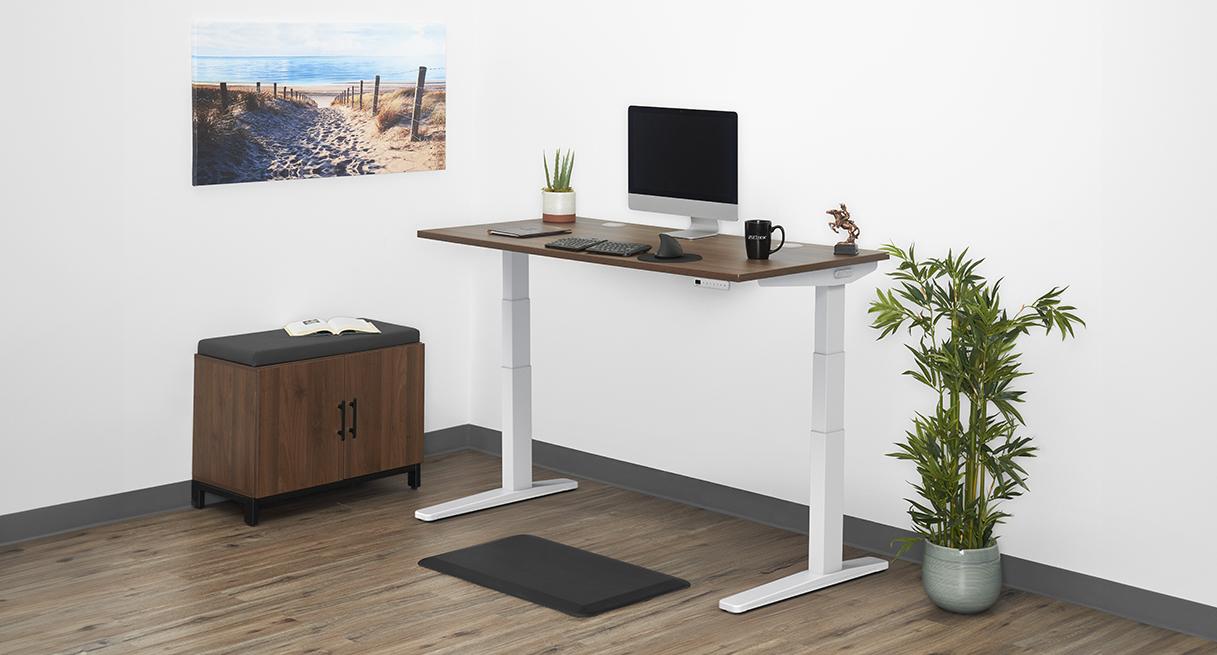
The optional configuration worksheet records one desk at a time. Download its notes before starting another configuration. The supplied cover shows one walnut V3; it does not establish your selected top, included keypad or availability.
Evidence dates: frame/keypad/manual text and relevant official indexed product/return passages were checked October 19, 2026; indexed pages carry their own earlier crawl dates. Warranty headline/shipping text was checked October 19, while detailed exceptions retain the October 12 reading; those current modal sections were not freshly expanded. Tom's Guide's October 1, 2025 V3 account was reopened October 19. No live cart total, exact-order approval or DeskSpaceLab hardware test was established.
Does this purchase meet your requirements?
Use this for one exact configuration. Mark a check confirmed only after you have the relevant dimensions, documentation, seller answer or personal fitting experience. A failed essential requirement takes priority over price.
Include model, selected options and where each answer came from. For a comparison, download one record, then start another configuration to clear its answers before recording the next cart.
Five checks still need confirmation. Collect the missing answers before deciding.
Download your notes before starting another configuration. That button clears the entries on this page.
Entries stay on this page and are not saved or submitted. Download them before leaving or reloading. This records your answers; it does not certify product fit or performance.
About this guide: An editorial planning profile, not a medical professional. Turns workspace questions into measurements, layout decisions and practical buying sequences. Editorial profile
Keep planning your workspace.
Use the sources and related guides to choose your next step.
Explore buying guides →